Draw it flat.
Wear it in 3D.
A clothes design studio · Windows & Mac
Draft the pattern, sew it, and watch it hang on a figure in real cloth — all on your own computer.
- Runs onWindows & Mac
- WorksWithout the internet
- Your designsStay on your computer
- PriceEGP 549 a month
What is Toile
A whole workroom on one screen.
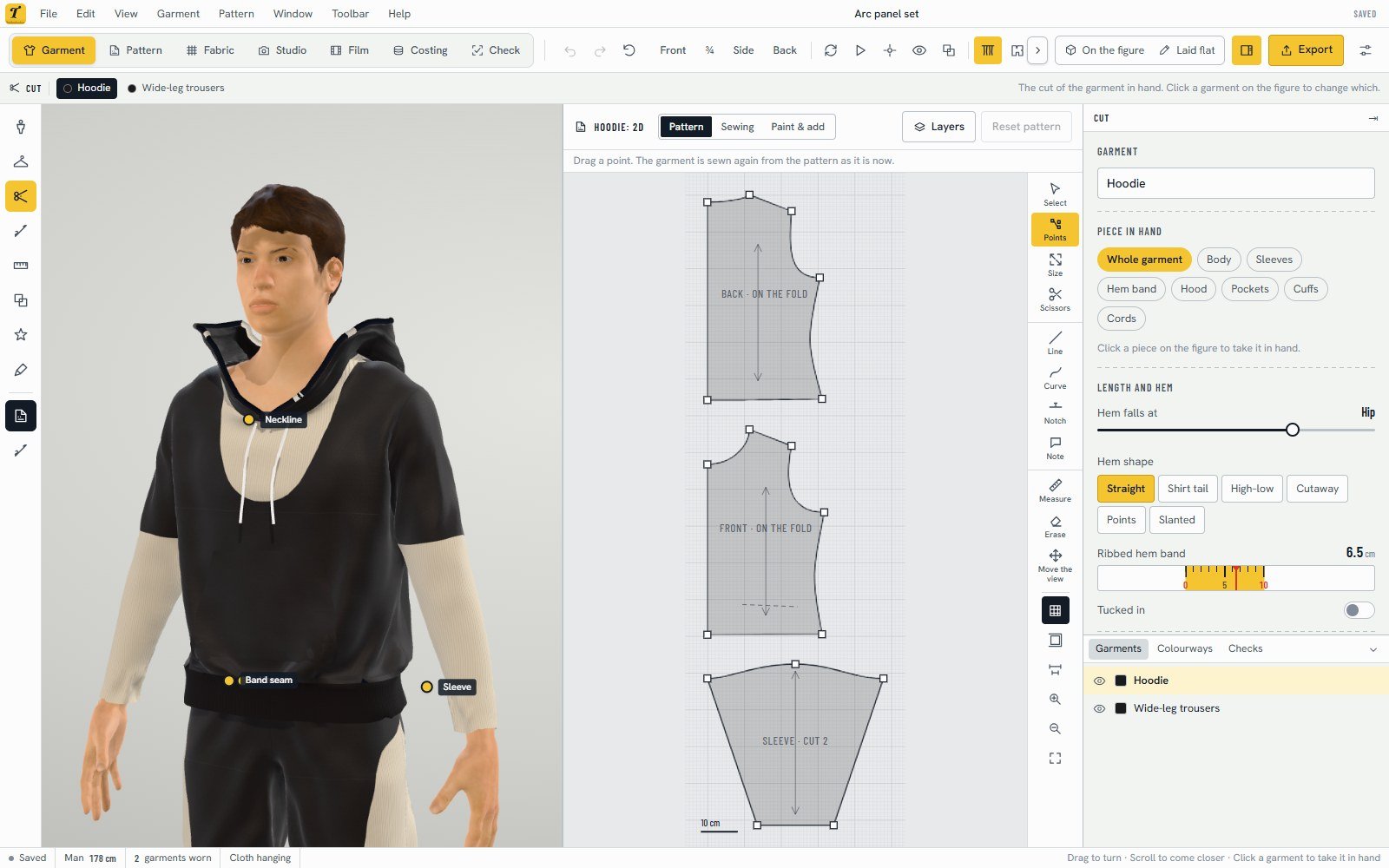
Toile is where a garment goes from a sketch to something you can turn round, fit and hand to a workroom. The figure stands in 3D on one side and the garment’s pattern lies in 2D on the other, each with its own tools.
Cut a piece with the scissors, sew an edge to any other, paint the cloth or add a zip and a pocket on the flat — the figure shows it at once. Everything is drafted, sewn and draped on your own computer.
- 6workroomsGarment, Pattern, Fabric, Film, Costing and Check
- 5sizesEvery garment graded from S to XXL
- 4computersWindows and Mac, Intel and Arm
- 0uploadsYour designs never leave your computer
Features · recorded in Toile as it runs
Everything a garment needs.
Lookbook
Sewn in Toile. Lit like a shoot.
Eight outfits drafted, sewn and hung on Toile’s own figures — women, men, teenagers and children — and ray traced by Toile’s own studio. Drag the ring, or pick a look to see it full size.


Every side of it
Turn it round.
A garment in Toile is never a front view. Its pieces are sewn round the figure, so the back, the sides and the hem all hang as cloth does — the hood lies down the back, the cuffs gather at the wrist — and the turnaround you send out shows exactly that.
- 72 views, one every 5°, each ray traced
- 1 hoodie, the hood down, sewn from its pattern in Toile
- 1 hand on the hip, posed with Toile’s own pose tool
From sketch to fitting.
Three steps, one window, no cloth cut until you say.
- 01
Draw
Start from a mockup or a blank board. Sketch the front and back flat, divide it into areas, fill each with its own cloth and colour.
- 02
Cut and sew
Every garment has a real pattern. Cut pieces with the scissors, take parts off, sew any edge to any other — and the figure wears it at once.
- 03
Fit and show
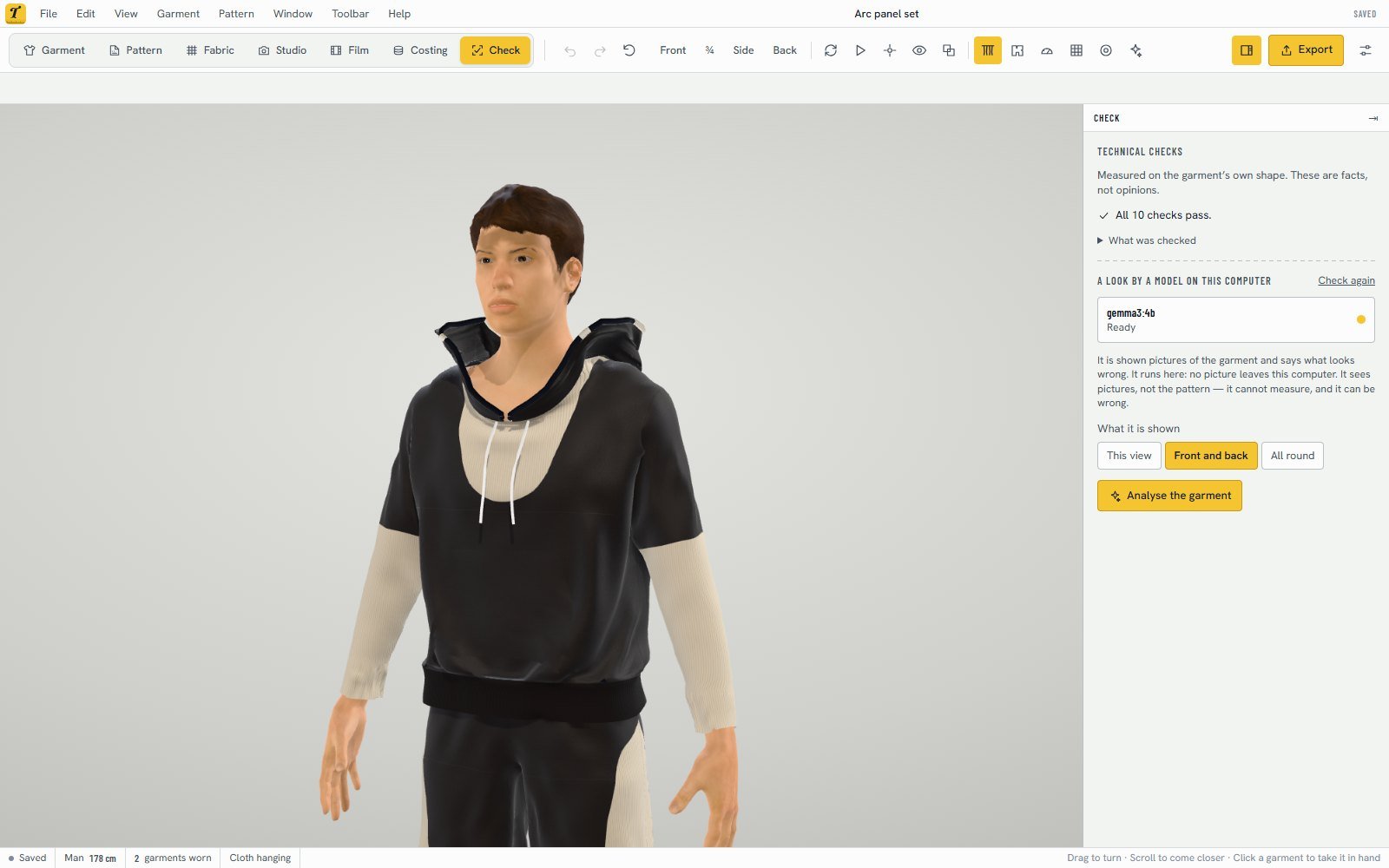
Grade it from S to XXL, read the fit map, stand it in the studio under three lights and send out the turnaround, the tech pack and the costing.
Subscribe
One price. Every stitch.
- MonthlyEGP549a month30 days of Toile
- Yearly2 months freeEGP5,490a year365 days of Toile
Subscriptions open soon. Make your account now and you can subscribe the moment they do.
- Every featurePattern, sewing, fabric, fit, the studio, the tech pack and the costing.
- Every updateNew versions install themselves, each checked against our signature first.
- Cancel any timeToile works to the end of the month you paid for. Nothing more to pay.
- The AI helperGemma 3 on your own computer, if you want it. Nothing leaves it.
Find your computer.
Make your account, subscribe, and download — Toile then keeps itself up to date, fetching each new version in the background and putting it in place the next time you open it.
- 1Your account
- 2Subscribe
- 3Download
Open the zip and take Toile.exe out into a folder of your own — your Desktop or Documents — so it can update itself. The first time, Windows may say it protected your PC: choose More info, then Run anyway.
- Windows 10 or 11, 64-bit
- Coming soon
- Updates by itself
- Works offline
Questions
Asked often.
How do I get Toile?
Make an account, subscribe — EGP 549 a month, or EGP 5,490 a year (2 months free) — and the download for your computer starts. The download is only for signed-in subscribers; after that, Toile keeps itself up to date.
How can I pay?
On our payment partner’s own page, with the ways it offers — cards and wallets. Each payment buys 30 days (or a year); pay again from your account before it runs out and the time adds on.
Do you have offers or discount codes?
When there is an offer, the prices on this page already include it. If you were given a code, type it when you pay — the price is worked out again with it before you are sent to pay. A voucher (free days of Toile) goes in on your account page, and its days are added at once.
Is the price shown in my currency?
Toile is priced in Egyptian pounds. Outside Egypt the site sees which country you are in and shows the price in your money too, at today’s rate. You are charged in Egyptian pounds, the price shown at checkout; your bank converts it.
Can I cancel?
There is nothing to cancel: a payment buys its 30 days (or its year), and nothing renews by itself. Toile keeps working until the end of what you have paid for.
What happens when a month is not paid?
Toile counts down to the day you have paid up to, and on that day asks you to renew before it opens again. Your designs are not touched: they stay on your computer, and they are all there when you pay and come back.
Does it need the internet?
Not to design. Toile drafts, sews and drapes on your own computer; it uses the internet for its updates and, if you want it, the AI helper.
Which computers does it run on?
Windows 10 or 11 (64-bit, or Windows 11 on Arm) and macOS 13.5 Ventura or later, on Apple silicon or Intel. One download, nothing else to install.
What does the site keep about me?
Your email, your name if you give it, and a one-way hash of your password — never the password itself. When you make your account, sign in or download, the site notes the country and city your connection comes from (never an exact address) to keep accounts safe. One small cookie keeps your computer’s time zone, so prices show in your money. Your card or wallet goes to the payment provider and never reaches us.
Does the AI helper see my designs?
Only on your computer. The helper (Gemma 3) is offered once when Toile first opens, is downloaded only if you say yes, and runs locally — nothing you design is sent anywhere.